Load #RC-77821Date01/14/2026PickupMetro Auto Auction, DallasRate$2,400.00
Thank you!
JJake (Driver)Today 10:24 AM
Running about 2 hours late. Heavy traffic on I-40. Will keep you posted.
INVOICE#INV-9023
Bill to
ACME Freight
Amount · due 01/28$2,400.00Pending
Call broker about TONU – confirm?
– KB
Dallas, TXPhoenix, AZ
1,064 milesEst. 16h 10m
Driver Settlement#DS-4481
DriverJake R.Total miles1,064Driver pay$1,600.00
From: logistics@acmefreight.com8:17 AM
Subject: Load update
Hi team, shipper moved pickup to 2 PM. Please confirm the driver can still make delivery.
Thanks, Logistics Team
0103
Simple tools Stronger fleets
Built for the road ahead
Integrations
Connected to the tools you already run on.
RingCentral
Calls and voicemail
Motive
ELD and telematics
Samsara
ELD and telematics
Trust ELD
Driver logs and HOS
Twilio
AI calls
TruckTA AI
AI coworker
Super Dispatch
Car-hauling loads and BOLs
Airtable
Bases and records
Google Sheets
Spreadsheets
Checkr
Driver screening
Drag or use arrows to explore
People Technology A stronger tomorrow
Using something we don’t list?
We connect to most tools carriers already run on. Request yours and it is usually live within days — connections are set up with your team during onboarding.
The load enters once. Origin, vehicles, VINs and the assigned driver are captured on the board, and the driver sees the job on their phone the moment it is assigned.
STAGE 02 — IN TRANSIT
In transit.
Dispatch sees the same status the driver reports. No calls to find out where the truck is, and no separate spreadsheet to reconcile at the end of the day.
STAGE 03 — DELIVERY
Delivery.
The driver uploads the BOL and POD from the Driver App. The documents attach to the load itself, so nobody has to hunt through a shared folder later.
STAGE 04 — INVOICE
Invoice.
A delivered load with complete documents is ready to invoice — one action, with the paperwork the customer needs already in the packet.
STAGE 05 — PAID AND SETTLED
Paid, settled, closed.
Payment closes the load and rolls into the driver settlement automatically, so accounting and the driver are looking at the same numbers.
LoadStatusDeliveredInvoiceReceived
TA-4471On scheduleThu 11:12 AM#1194$5,240
VehiclesLast updatePODAmountDays to pay
7 cars22 min agoAttached$5,24018
DriverRemainingDamagePacketDriver share
Marcus L.412 miNone reportedBOL + POD$1,310
OriginETAReceiverSentSettlement
Newark, NJThu 11:40 AMDallas Auto GroupThu 2:05 PMReleased
TruckTA AIBuilt in
Upload it. Review it. Let TruckTA handle the data entry.
Send in a dispatch sheet, a registration, or a photo of a license. TruckTA reads it, sorts it, and fills the fields — then waits for a person to approve before anything is saved.
Everything a driver needs.Including the right road.
The TruckTA Driver App puts assigned loads, inspections, signed BOLs, documents and pay on the driver's phone — with turn-by-turn Google Maps navigation that keeps the rig on truck roads.
01
Google Maps truck navigationNew
Routes sized for a 13'6", 80,000 lb car hauler, with a warning before any restriction.
02
Loads, inspections and signed BOLs
Every stop, vehicle and photo, recorded at the car and synced to dispatch.
03
Documents and pay, in their pocket
Upload a POD from the dock and, where the company allows it, review approved pay statements.
Google Maps truck navigationNew
Routes for a 13'6", 80,000 lb car hauler.
Loads, inspections and signed BOLs
Recorded at the car, synced to dispatch.
Documents and pay, in their pocket
PODs from the dock, pay statements on the road.
Scan to install
Point your phone camera at the code.
Free download. Drivers sign in with their company invitation.
Free download. Drivers sign in with their company invitation.
Low bridge 12'4"
Pickup · Newark
Search a destination
0.4 miKeep right onto I-78 W
Clear for 13'6" · 80,000 lb
TA-5108 · PICKUPNext
Newark, NJ
Riverside Motors · 7 vehicles
38 mi52 minArrive 9:12 AM
Truck route · 13'6" · 80,000 lb · 5 axles
Start
9:12 AM37 mi · 49 min
End
Load TA-5108
Newark, NJ → Dallas, TX
At pickup
Pickup inspection7 vehicles · 28 photos
2023 Toyota CamryVIN …4821 · 4 photos
2022 Ford F-150VIN …9177 · 4 photos
2024 Tesla Model YVIN …3306 · 4 photos
+ 4 more vehicles
Bill of ladingCustomer signature
BOL signed · 8:41 AM
Record pickup
PaySep 22 – Sep 28
ESTIMATED PAY$2,860.00
6 delivered loadsStatement approved
Documents1 expiring soon
POD · TA-5108Uploading…Uploaded just now
CDLCurrent
Medical cardCurrent
Trailer registration21 days left
Home
My Loads
Map
Pay
More
Truck roadsGoogle Maps navigation
Low bridge avoided12'4" clearance · rerouted
BOL signedTA-5108 · 7 vehicles
POD uploadedRight from the dock
The product
Everything the team needs to keep work moving.
Real screens from the TruckTA platform, in three short tours.
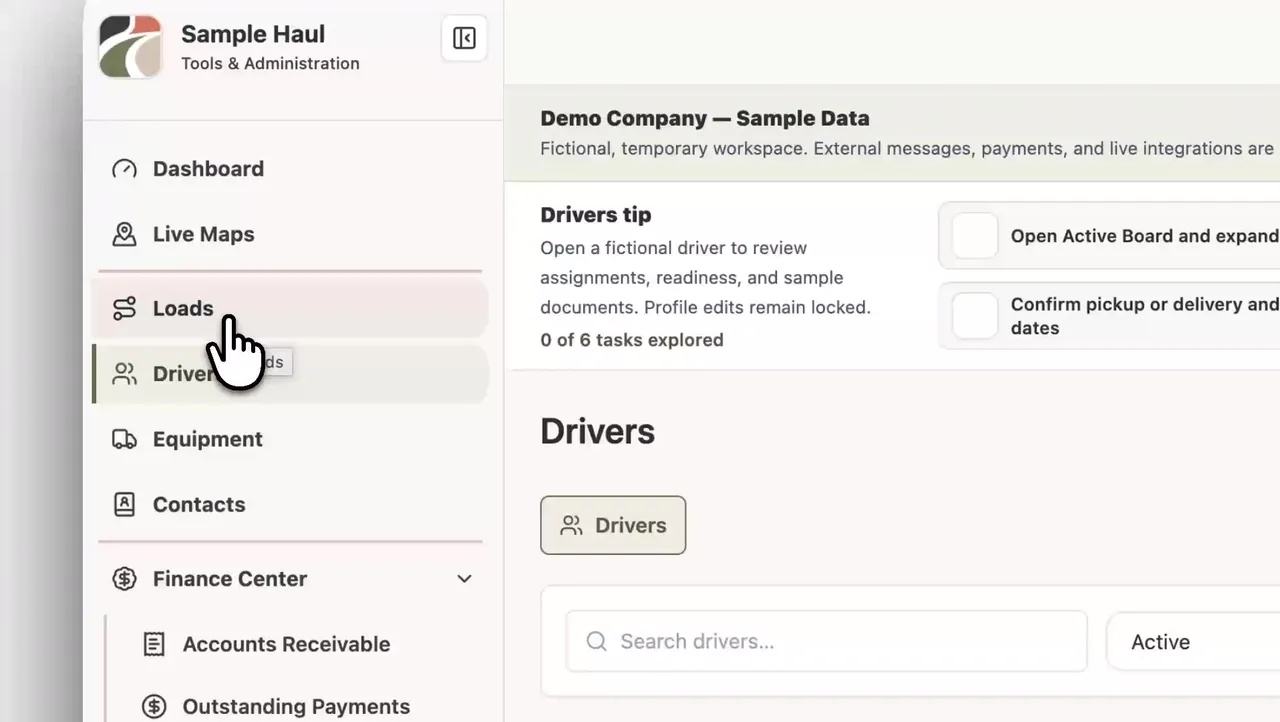
Invoices, collections, settlements and outstanding balances in the same place the loads live.
Accounts receivableOutstanding payment follow-upDriver and truck summaries
FAQ
Questions before you start.
A car hauler management system, sometimes called a car hauler TMS, keeps every load, driver, truck, trailer, document, invoice and settlement for an auto-transport company in one place. TruckTA handles dispatch on the Active Board, keeps BOLs and inspection photos on the load, and runs invoices and driver settlements from the same records.
Yes. TruckTA is a transportation management system (TMS) for both car-hauling companies and freight carriers. Its car hauler TMS workflows track vehicles, VINs, inspections and transport paperwork; freight workflows track commodities, quantities and pickup and delivery stops. Your company's operation type determines which load workflow you use.
TruckTA's freight TMS keeps loads, drivers, trucks, trailers and documents connected. Manage freight descriptions, quantities and weights, plan multiple pickup and delivery stops, and keep rate confirmations with the load. Dispatch and office teams work from those records through invoicing and settlements.
No. TruckTA is a transportation management system for running car-hauling and freight operations, not a marketplace for finding loads. Supported load-board imports are user-initiated and user-reviewed; TruckTA does not automatically book loads or run background scraping.
Yes. TruckTA supports car-hauling and freight carrier dispatch teams, as well as dispatch businesses, with a connected workspace for loads, drivers, equipment, documents and finance. The load workflow follows the company's operation type.
TruckTA supports reviewed import workflows for selected files, connected sources and supported load boards. Your team confirms the data before it creates or updates a load.
Yes. When a company enables and links Driver App access, drivers can use the company-approved workflows and information available to their role.
Setup time depends on your current data and workflow. You can set TruckTA up yourself, or ask the team to help you do it.
Compare Central Dispatch, Super Dispatch, Ship.Cars, and TruckTA by the work you need done. Then test routing, paperwork, handoffs, and total cost before switching.
Build a role-specific training plan for drivers, dispatchers, supervisors, and records staff. Set practical assessments, document results, and assign refresher triggers.
Organize your fleet’s compliance review around company, driver, vehicle, and trip responsibilities, with one working checklist and official rule references for follow-up.



















 01
01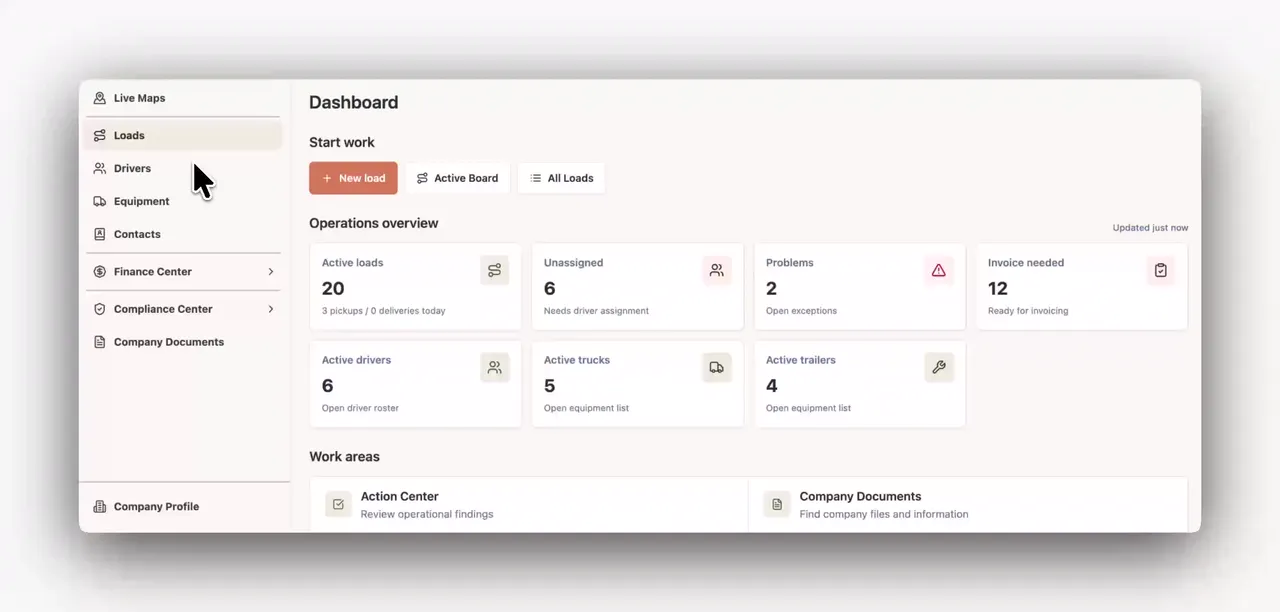 02
02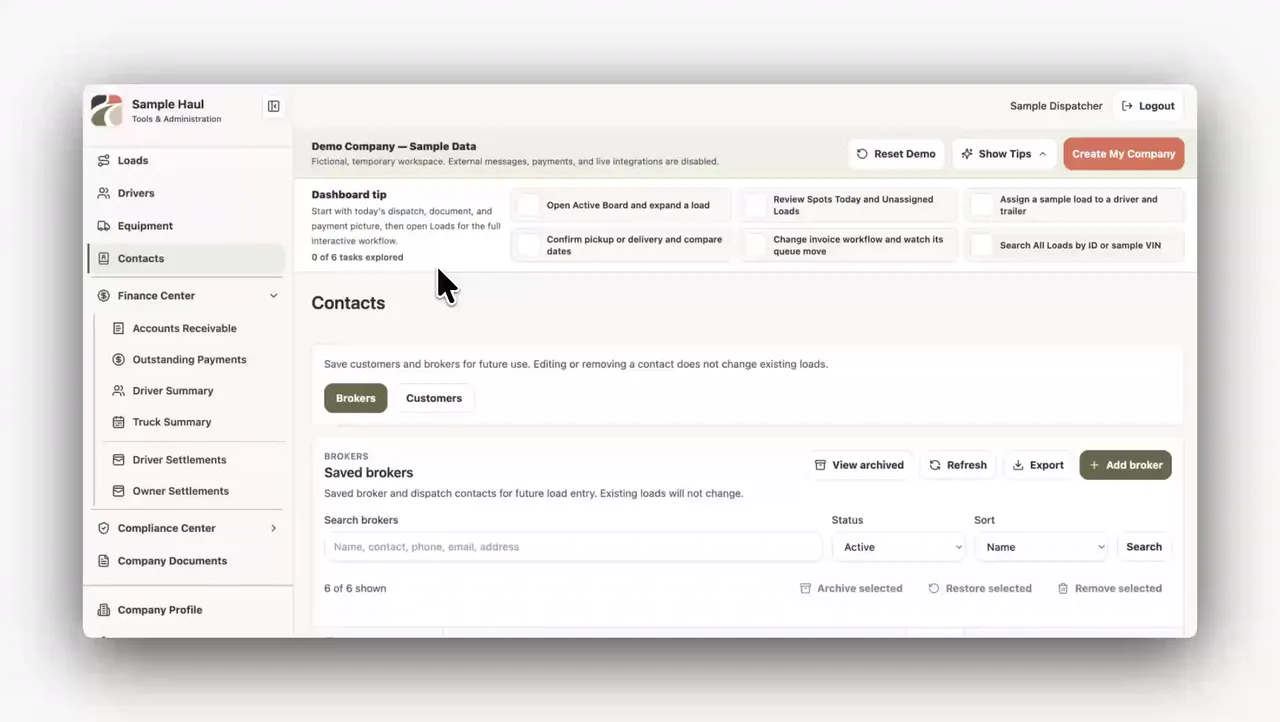 03
03